If you’re running paid ads, you need to make sure to track phone calls. For many local service businesses, the most valuable conversion is a phone call, not a form fill. Optimize for it!
There are a variety of different ways to track phone calls. In this post, I’ll explain how Google and Meta can track calls on their own, and when you need a third-party platform.
Dynamic Number Insertion
The technique underneath almost all call tracking is Dynamic Number Insertion, or DNI. It’s the phone-call equivalent of a UTM parameter.
Instead of showing every visitor the same business number, the site swaps in a different number depending on where the visitor came from — which campaign, which keyword, sometimes which specific ad. Each number in the pool is unique to a source. When someone calls it, you know exactly what put that number in front of them, the same way a UTM tag tells you which campaign drove a form fill.
Can’t Google and Meta Track Call Conversions Natively?
By default, Google tracks call extensions and click-to-call that occur directly from the ad — the “Get phone number” and “Call us” buttons you see on search ads and local listings.
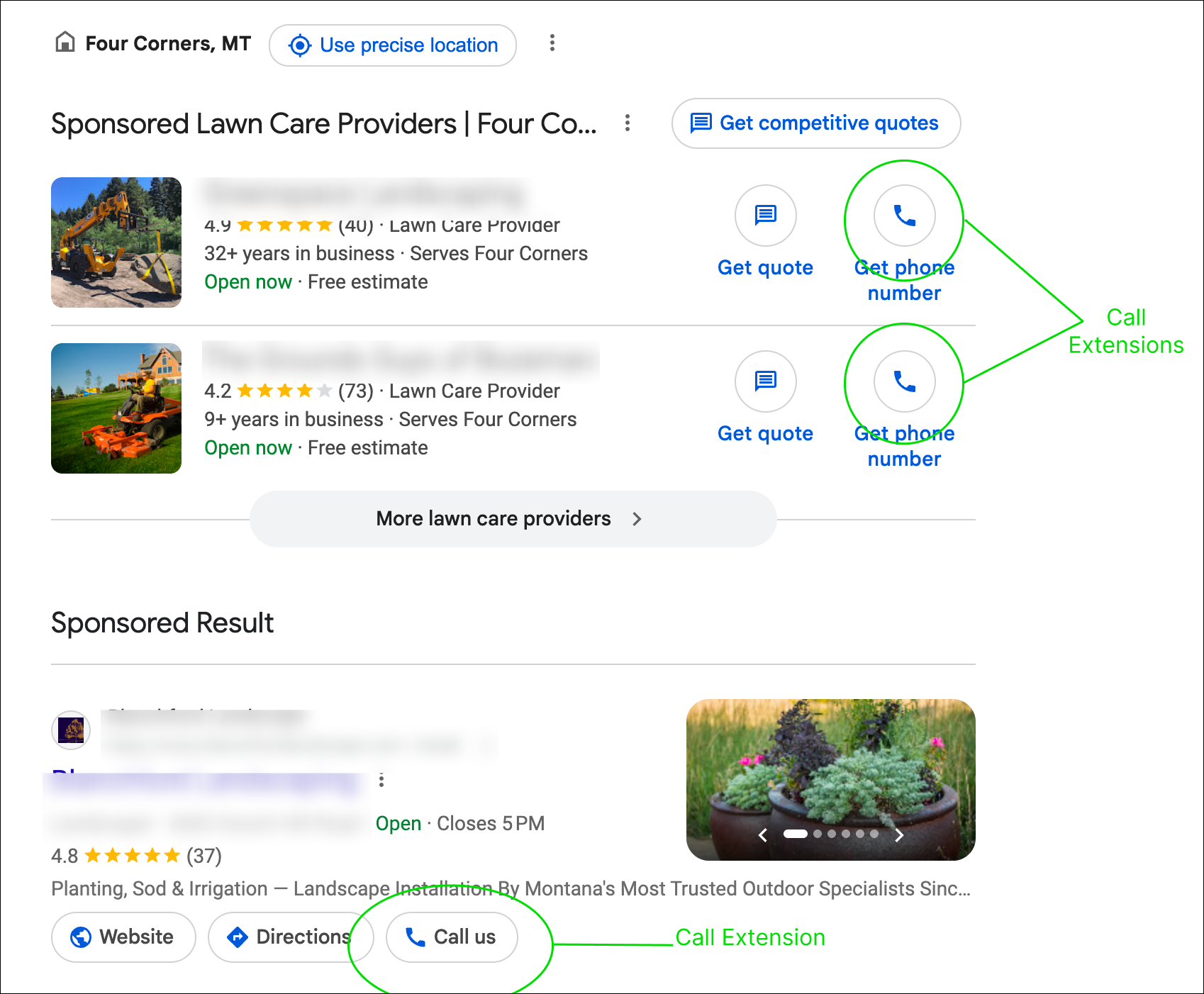
Google also goes a step further with Google’s own Dynamic Number Insertion script installed on your site, so calls placed after someone lands on your page (not just clicks from the ad) get attributed back to the campaign and keyword too.
Meta allows you to run click-to-call CTAs in an ad, but there’s no Dynamic Number Insertion after the click.
Getting call data back to Meta requires an external source of truth and the Conversions API to push it in. Meta will never discover this on its own the way Google’s call assets do.
Both are legitimate and free, but neither qualifies people. You have no idea if that person turned into a customer or was a good lead.
Third-party call tracking: the actual fix for cross-channel
This is where platforms like CallRail, CallTrackingMetrics, WhatConverts, and Invoca come in. The mechanics are the same Dynamic Number Insertion concept, just built to unify everything instead of living inside one ad platform:
These platforms give you:
- A pooled set of tracking numbers, swapped per session based on UTM parameters,
gclid,fbclid, or referrer - Every call logged against the full session data — source, campaign, keyword, ad, landing page
- Qualified calls pushed back into both Google Ads (as offline conversion imports) and Meta (via Conversions API)
Setting it up
- Size the number pool to your traffic volume. Too small a pool and sessions start overlapping — a call gets attributed to the wrong visitor entirely. I’d start with 4 minimum, but if you think you have more than 4 active users at a time, increase this.
- Install the platform’s tracking script. It’s a light script; treat it the way you’d treat any third-party tag on your site and don’t let it become the thing dragging down your load time.
- Define what counts as a qualified call before you turn anything on. I recommend using a minimum call duration to determine whether the caller was qualified. This way it doesn’t count any 5-second hang-ups, misdials, etc.
- Confirm the data is actually flowing back to both platforms. Test it out by calling the number that’s swapping on your site. See if it connects and logs the correct source/UTMs.
Who this is actually worth it for
If phone is a primary or majority conversion path, it’s worth testing. I’d recommend it for any local or service-based businesses, and believe it is the difference between optimizing toward real revenue versus optimizing for a form fill that’s sometimes junk for businesses like these.
If you’re running ecommerce or your call volume is low, the added complexity and cost usually isn’t worth it. Google’s native call tracking is probably enough, or not even that.
This is one of the first things we audit for lead-gen clients at Venture Labs — happy to take a look at how your calls are (or aren’t) making it back to your ad accounts.